Free spreadsheet template · Excel & Google Sheets
Free Job Application Tracker Spreadsheet
A job search is a numbers game with a memory problem: after twenty applications it is hard to remember who you spoke to, when you applied and who deserves a follow-up. A tracker fixes that in minutes a day.
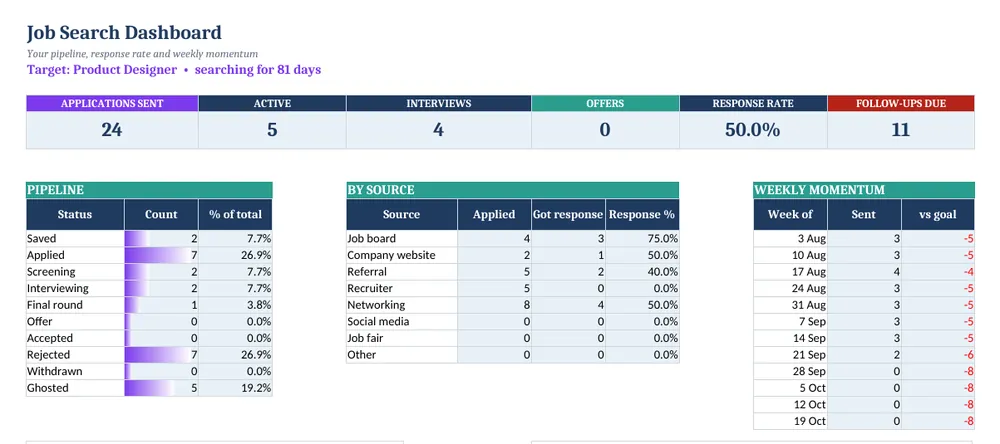
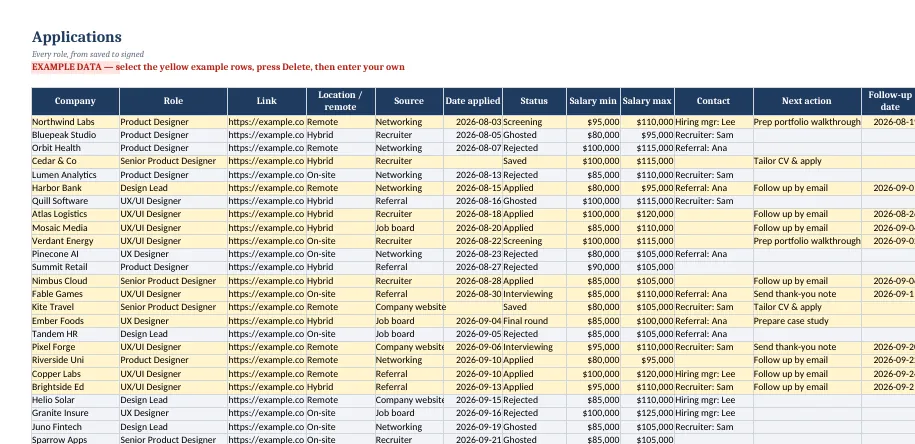
Screenshots show the full Job Application Tracker. The free lite version uses the same layout and formulas, with fewer rows and no charts.
What’s in the free template
This free job application tracker spreadsheet is the lite version of our Job Application Tracker. Log each role, and the sheet counts days since you applied, flags follow-ups, and shows your pipeline and response rate on a dashboard.
The download contains these tabs:
- Instructions
- Settings
- Dashboard
- Applications
- Interviews
Yellow cells are your inputs and blue cells are protected formulas, so nothing breaks while you type. Example data is included so you can see the results immediately — replace it with your own numbers when you are ready.
How to use this job application tracker spreadsheet
Set your goal
On Settings, enter your target role, the date you started, a weekly application goal and how many days to wait before following up.
Log every application
On Applications, add company, role, posting link, location, source, date applied and status from the dropdown.
Follow the flags
The follow-up column tells you when to nudge — applied roles older than your follow-up window show Follow up now.
Record interviews
On Interviews, log each conversation and the questions you were asked. It is the best prep for the next round.
Review weekly
The Dashboard shows pipeline by status, response rate by source and applications per week against your goal.
Tips for better results
- Mark silent applications Ghosted after about three weeks so your response rate stays realistic.
- Paste the posting link — ads often disappear before the interview.
- Referrals usually have the best response rate; the by-source table shows whether that is true for you.
Opening the file in Excel or Google Sheets
Microsoft Excel: open the downloaded .xlsx file directly — Excel 2010 or later on Windows or Mac works. If you see a “Protected View” bar, click Enable Editing.
Google Sheets: go to Google Drive, choose New → File upload, then open the file and pick File → Save as Google Sheets so you can edit and share it. LibreOffice / Numbers: open the file as normal. No macros, add-ins or internet connection are needed.
Free lite vs full version
The full tracker holds 300 applications, adds a networking contacts log and charts for your pipeline and weekly momentum, plus a quick-start PDF.
| Feature | Free lite | Full version · $2.99 |
|---|---|---|
| Applications with status pipeline | 25 | 300 |
| Automatic follow-up flags | ✓ | ✓ |
| Interview log | ✓ | ✓ |
| Networking contacts | — | ✓ |
| Response rate by source & weekly goal | ✓ | ✓ |
| Charts | — | ✓ |
| Quick-start PDF guide | — | ✓ |
| Price | Free | $2.99 one-time |
Instant download. Secure checkout by Lemon Squeezy. Works in Excel, Google Sheets & LibreOffice.
Save with the Life & Home Spreadsheet Bundle
Get all 6 products in the Life & Home Spreadsheet Bundle for $12.99 instead of $29.94 bought separately.
Get the Life & Home Spreadsheet Bundle — $12.99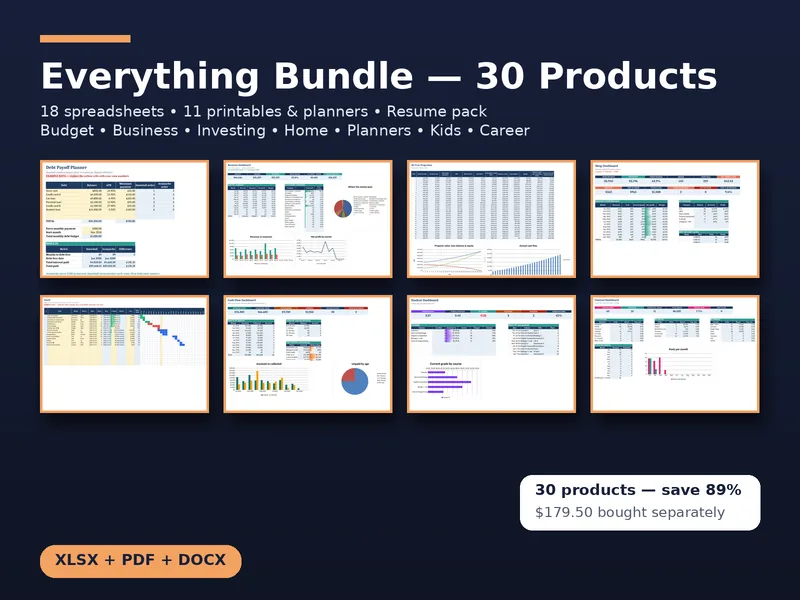
All 30 products · one download
CalcHub Everything Bundle (All 30 Products)
$18.99 $179.50 one-time · instant download
Every CalcHub product in one download: 18 spreadsheet templates (budget, savings, freelance, bookkeeping, invoice tracker, rental, short-term rental, dividends, wedding, online seller, job search, meal planner, habit tracker, renovation, travel, content calendar, project Gantt, student GPA), 11 printable planners and worksheet packs (incl. a hyperlinked 2027 digital planner, wedding, holiday and kids math), and the resume pack. All future updates included.
Get the bundle — $18.99Frequently asked questions
Can I use it on my phone?
Yes. Upload it to Google Drive and open it in the Google Sheets app to update statuses on the go.
Which statuses are included?
Saved, Applied, Screening, Interviewing, Final round, Offer, Accepted, Rejected, Withdrawn and Ghosted.
Is it free?
Yes, no sign-up. The lite version tracks 25 applications and has no contacts tab or charts.