Free spreadsheet template · Excel & Google Sheets
Free Self-Employed Bookkeeping Spreadsheet
When you work for yourself, bookkeeping is the job nobody pays you for — until tax season, when it suddenly matters a lot. A simple self-employed bookkeeping spreadsheet keeps every invoice payment and business cost in one place, so profit, tax set-asides and deductions are never a guess.
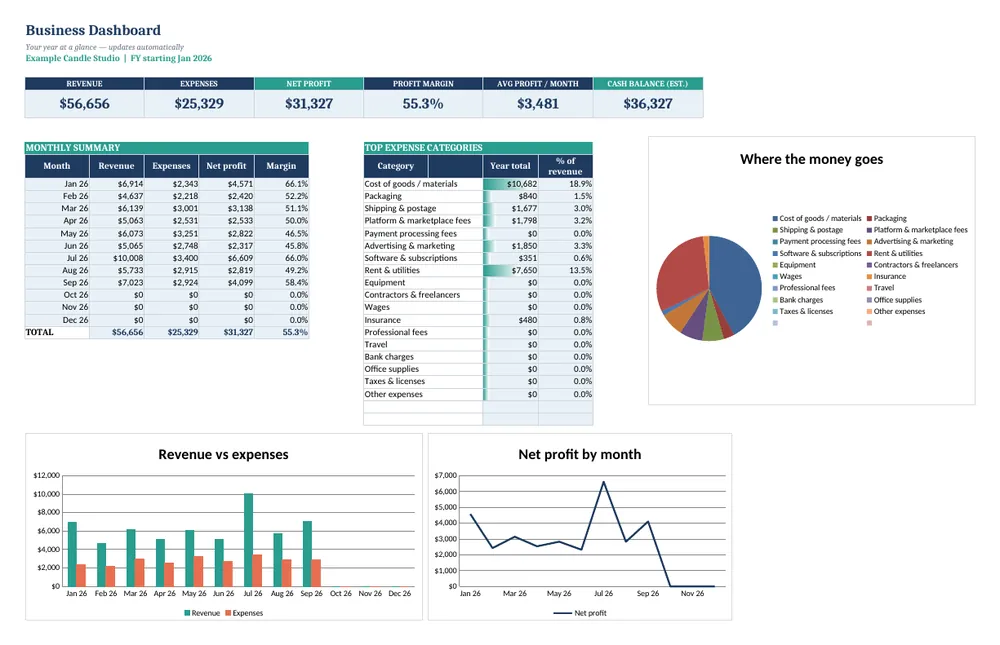
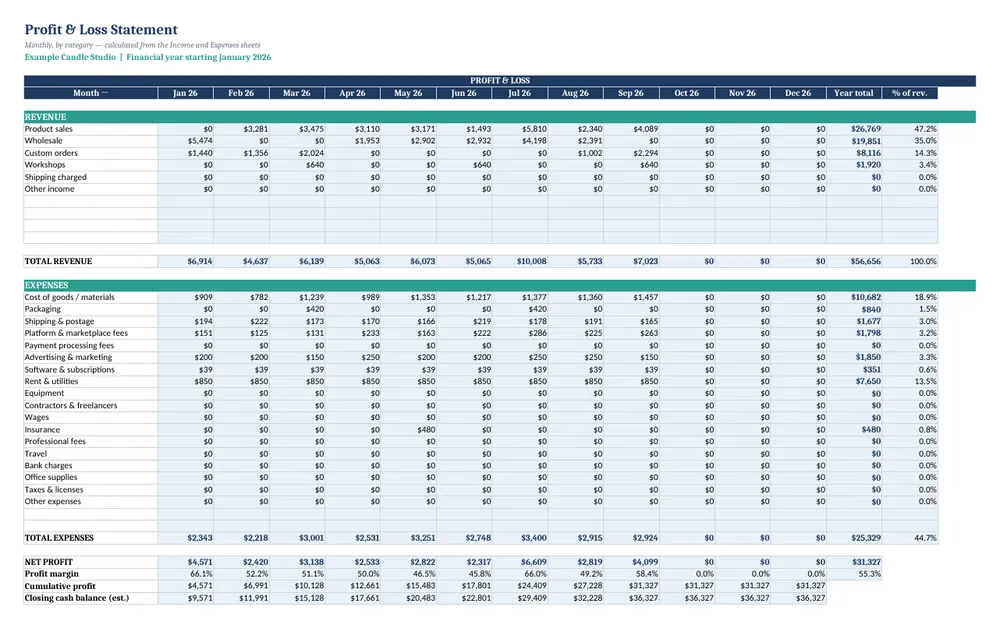
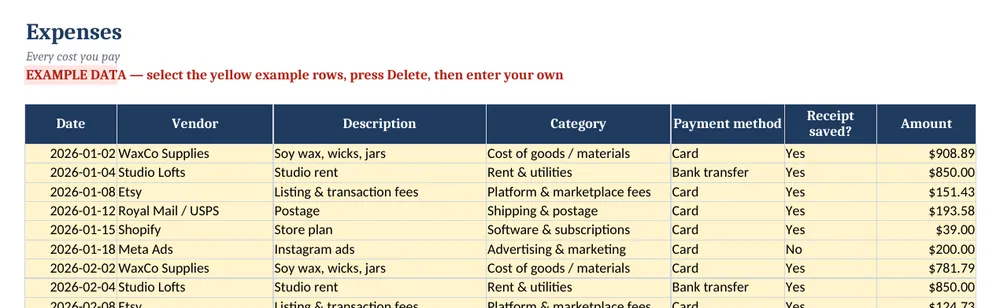
Screenshots show the full Small Business Bookkeeping & P&L Tracker. The free lite version uses the same layout and formulas, with fewer rows and no charts.
What’s in the free template
This free template is a lite version of our Small Business Bookkeeping & P&L Tracker, set up for sole traders, contractors and freelancers. Log what comes in and what goes out, and a 12-month profit and loss statement is produced for you automatically.
The download contains these tabs:
- Instructions
- Settings
- Income
- Expenses
- Profit & Loss
Yellow cells are your inputs and blue cells are protected formulas, so nothing breaks while you type. Example data is included so you can see the results immediately — replace it with your own numbers when you are ready.
How to use this self-employed bookkeeping spreadsheet
Set your financial year
On Settings, enter your trading name and the month your tax or financial year starts — January for most US freelancers, April for UK sole traders, July for Australia.
Match categories to your tax return
Rename the expense categories to mirror your return (for example, software, equipment, travel, home office, professional fees). Year-end totals then copy straight across.
Record client payments
On Income, log each payment the day it lands, with the client and invoice number so you can trace it later.
Record business costs
On Expenses, log each cost with its category and whether the receipt is saved. For mixed-use costs such as a phone, log only the business share.
Check profit monthly
Open the Profit & Loss tab once a month to see income, costs and net profit, and move a fixed percentage of profit into a tax savings account.
Tips for better results
- Set aside 25–30% of profit for tax as a starting point, then refine it with an accountant or our self-employment tax calculator.
- Separate business and personal bank accounts, even as a sole trader.
- Note the invoice number on every income row — it makes chasing and reconciling payments far easier.
Opening the file in Excel or Google Sheets
Microsoft Excel: open the downloaded .xlsx file directly — Excel 2010 or later on Windows or Mac works. If you see a “Protected View” bar, click Enable Editing.
Google Sheets: go to Google Drive, choose New → File upload, then open the file and pick File → Save as Google Sheets so you can edit and share it. LibreOffice / Numbers: open the file as normal. No macros, add-ins or internet connection are needed.
Free lite vs full version
Freelancers with many small transactions can switch to the full tracker for 500 income and 500 expense rows plus a KPI dashboard and charts. If you also need quarterly estimated tax and invoice tracking, the Freelancer Business Tracker or the 8-template bundle covers it.
| Feature | Free lite | Full version · $15 |
|---|---|---|
| Income & expense logs with category dropdowns | 50 rows each | 500 rows each |
| Automatic 12-month Profit & Loss statement | ✓ | ✓ |
| Custom financial-year start | ✓ | ✓ |
| Profit margin & running totals | ✓ | ✓ |
| Dashboard with KPIs | — | ✓ |
| 3 dashboard charts | — | ✓ |
| Quick-start PDF guide | — | ✓ |
| Price | Free | $15 one-time |
Instant download. Secure checkout by Lemon Squeezy. Works in Excel, Google Sheets & LibreOffice.
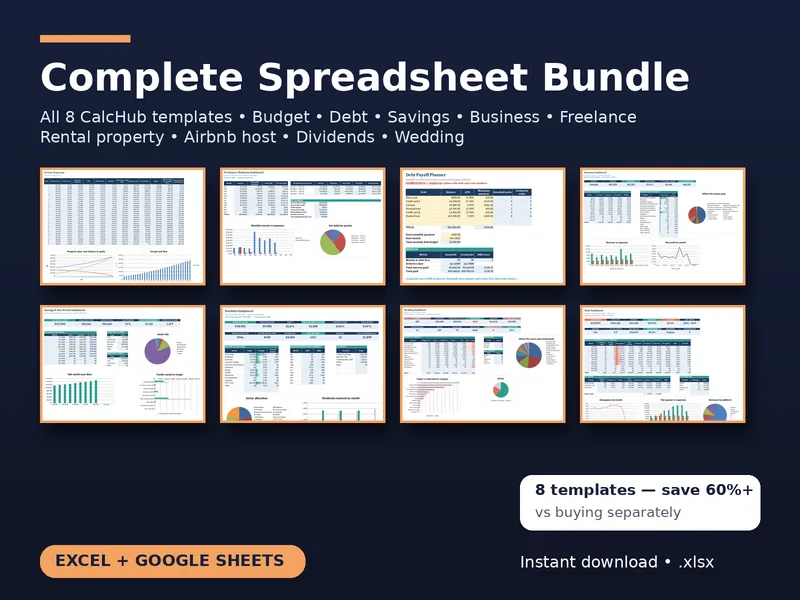
All 8 templates · one download
CalcHub Complete Bundle (All 8 Templates)
$39 $104 one-time · instant download
Every template in one download: budget & debt payoff, savings & net worth, freelancer, small-business bookkeeping, rental property analyzer, short-term rental host, dividend portfolio and wedding budget. Includes 8 quick-start PDF guides and all future updates.
Get the bundle — $39Frequently asked questions
Is this different from the freelancer tracker?
Yes. This is a general bookkeeping ledger with a P&L by category. The Freelancer Business Tracker focuses on quarterly estimated tax, invoices and hourly-rate planning.
Does it work outside the US?
Yes. Currency formatting follows your spreadsheet settings and the financial-year start month is adjustable.
Is it free?
Yes, with no sign-up. The lite version is limited to 50 income and 50 expense rows and has no dashboard.