Free spreadsheet template · Excel & Google Sheets
Free Freelancer Income & Expense Tracker Spreadsheet
Freelance income is lumpy, expenses are scattered across cards and subscriptions, and taxes are due in instalments that nobody withholds for you. A freelancer income and expense tracker turns that mess into one sheet that tells you what you actually earned.
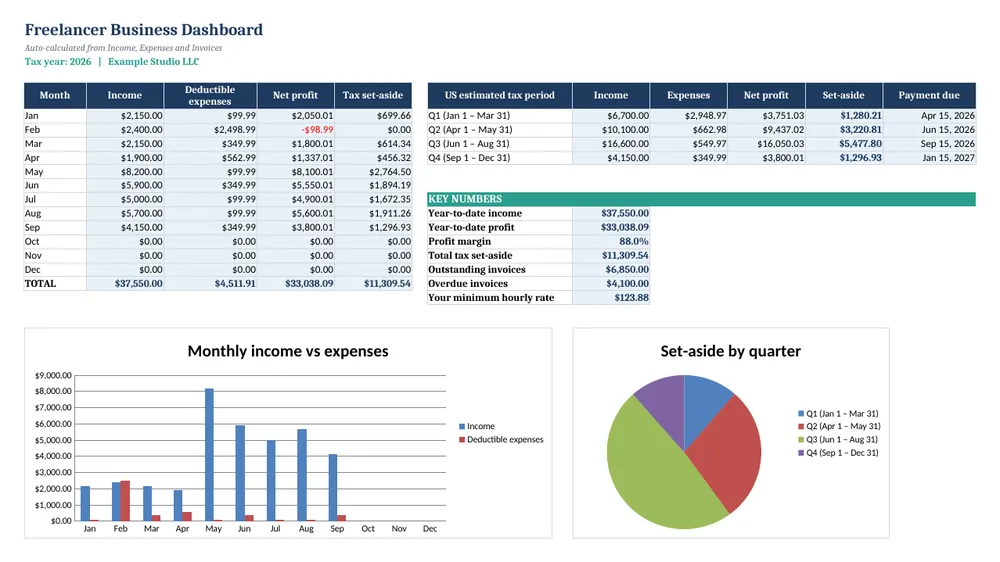
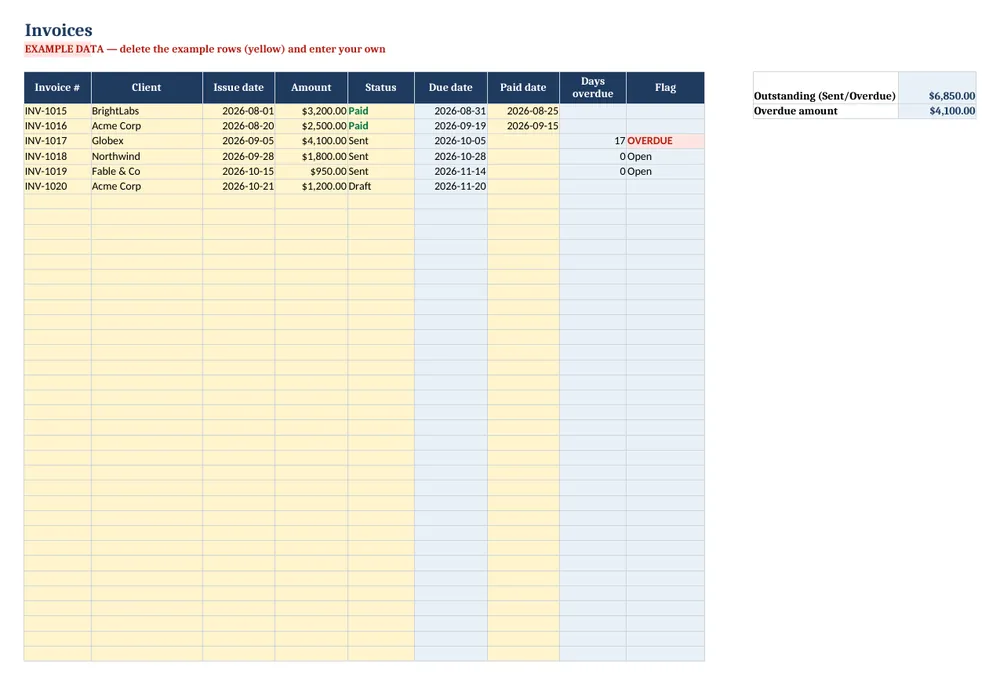
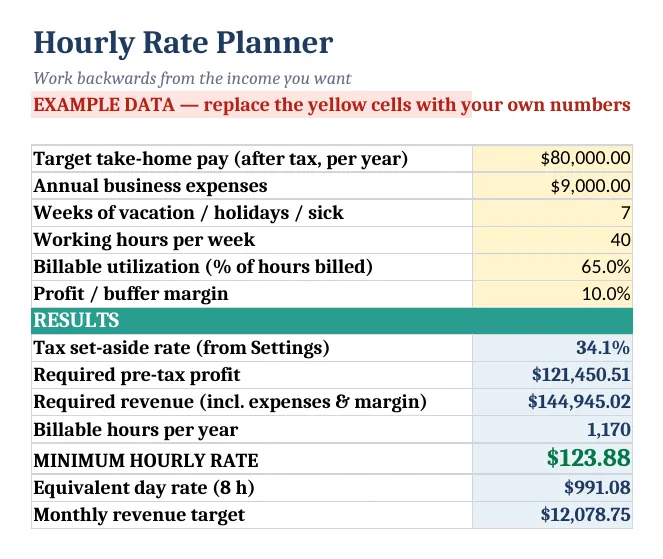
Screenshots show the full Freelancer Business Tracker. The free lite version uses the same layout and formulas, with fewer rows and no charts.
What’s in the free template
This free spreadsheet is the lite version of our Freelancer Business Tracker. It logs client payments and business expenses, applies a deductible percentage to mixed-use costs, tags every row with its IRS estimated-tax quarter and totals profit month by month.
The download contains these tabs:
- Instructions
- Dashboard
- Settings
- Income
- Expenses
Yellow cells are your inputs and blue cells are protected formulas, so nothing breaks while you type. Example data is included so you can see the results immediately — replace it with your own numbers when you are ready.
How to use this freelance income and expense tracker spreadsheet
Fill in Settings
Enter your business name, tax year and the federal and state rates you want to plan with. These drive the tax set-aside figures on the dashboard.
Log every client payment
On Income, record the date, client, description, invoice number, category and amount. The estimated-tax quarter fills in automatically using the IRS periods (Jan–Mar, Apr–May, Jun–Aug, Sep–Dec).
Log expenses with a deductible %
On Expenses, enter each cost and the share used for business — 100% for software, perhaps 50% for home internet. The deductible amount calculates itself.
Check the monthly summary
The Dashboard totals income, expenses and profit by month and shows your margin, so you can spot slow months early.
Set money aside
Each time a client pays, move a percentage into a separate tax account. The quarter column shows which estimated payment it belongs to.
Tips for better results
- Estimated tax payments in the US are due April 15, June 15, September 15 and January 15 — the quarters are uneven, which is why the template tags them for you.
- Track subscriptions monthly; small tools you no longer use are the easiest savings in a freelance business.
- Use consistent client names so you can see who your most valuable clients are.
Opening the file in Excel or Google Sheets
Microsoft Excel: open the downloaded .xlsx file directly — Excel 2010 or later on Windows or Mac works. If you see a “Protected View” bar, click Enable Editing.
Google Sheets: go to Google Drive, choose New → File upload, then open the file and pick File → Save as Google Sheets so you can edit and share it. LibreOffice / Numbers: open the file as normal. No macros, add-ins or internet connection are needed.
Free lite vs full version
When you are juggling unpaid invoices or deciding what to charge, the full Freelancer Business Tracker adds an invoice log that calculates due dates and flags overdue clients in red, an hourly and day-rate planner that works back from your target take-home pay, 300-row logs and dashboard charts.
| Feature | Free lite | Full version · $12 |
|---|---|---|
| Income & expense logs with dropdown categories | 40 rows each | 300 rows each |
| Deductible % and deductible amount | ✓ | ✓ |
| Automatic IRS estimated-tax quarter | ✓ | ✓ |
| Monthly income, expenses & profit summary | ✓ | ✓ |
| Invoice tracker with overdue alerts | — | ✓ |
| Hourly & day rate planner | — | ✓ |
| Dashboard charts | — | ✓ |
| Price | Free | $12 one-time |
Instant download. Secure checkout by Lemon Squeezy. Works in Excel, Google Sheets & LibreOffice.
All 8 templates · one download
CalcHub Complete Bundle (All 8 Templates)
$39 $104 one-time · instant download
Every template in one download: budget & debt payoff, savings & net worth, freelancer, small-business bookkeeping, rental property analyzer, short-term rental host, dividend portfolio and wedding budget. Includes 8 quick-start PDF guides and all future updates.
Get the bundle — $39Frequently asked questions
Is this only for US freelancers?
The quarter tags follow US IRS periods, but the income, expense and profit tracking works anywhere. You can ignore the quarter column if it does not apply.
Does it calculate self-employment tax?
The full version estimates quarterly set-asides including self-employment tax. For a quick estimate, use our free self-employment tax calculator.
Is it free?
Yes, no email required. The lite version has 40-row logs and no invoice tracker, rate planner or charts.